
Favicon: Small but impactful
Favicon (also known as a website icon, tab icon, URL icon) may be the smallest elements, but they have a big-picture in branding, and websites. If you take a look at your browser tabs right now, you'll see the Webflow's  on this open web page. This small graphical element is known as a favicon.
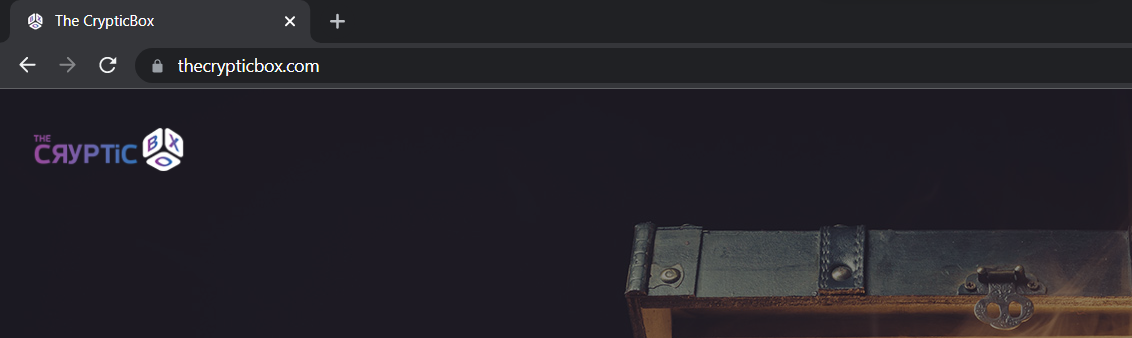
Why do they matter? Let's take a closer look.
The beginning of the favicon:
In March'99, Microsoft officially launched Internet Explorer 5, which supported favicons for the first time. Favicon placed in the root directory of a website, with the simple name “favicon.ico". If you favorited a website on Internet Explorer, it would appear next to the URL in the address bar as well as your browser bookmarks list.
Where you'll see favicons in your browser?
Favicons show up on the left-hand side of your browser tabs. Generally, favicon files can be 16x16, 32x32, 48x48, or 64x64 pixels in size, and 8-bit, 24-bit, or 32-bit in color depth.
If you're looking at the HTML code of a website that has a favicon, you'll see favicon in the
tag, and in the form:<link rel="icon" type="image/png" href="/favicon.png" sizes="16x16">
Favicons, also appear in auto-generated suggested results in Google's search bar as well as bookmark dropdowns and browser toolbars. In these lists, favicons allow us to identify websites without even having to read the title text.
Ideal Favicons size:
The standard size is 16x16 pixels, but most designers use 32x32 pixels to accommodate retina screens. The larger favicons show up nicely on retina screens, and can also be scaled down. Apart from these sizes, other favicons sizes are 180 x 180 pixels for OS Safari, 192 x 192 pixels for Android Chrome, and 228 x 228 pixels for Opera.
Generally, designers create a variety of different sizes to accommodate both desktop browsers and others.
How to use favicons?
Favicon uses as visual guides, It creating a more consistent user experience and overall brand identity.
Few unique, brand easy to spot, and immediately identifiable favicons:
Pinterest's

Twitter's

Google's

Behance's

Some things you should take into consideration:
- Minimalist favicon: With such a limited amount of space, it's best to take a minimalist approach.
- The Easiest way to create a favicon is to take an element from your logo.
- You can also use a character in a favicon.
- Vector-based favicon element: It's much easier to resize and alter later on.
Consider the color scheme :
Beyond what kind of your favicon is, how it utilizes color is just as important. Here's some things to consider when deciding on what colors to use:
The background color of a browser tab is generally white or grey, or black (if it has been switched to night mode). Keep this into your mind and designing a favicon, consider how it may appear against different different background colors. Eg: Behance uses blue background and white character, which is a solid combination that stands-out no matter what color a tab may be.
Clarity and definition are a key. So, use the colors with enough contrast so that they're distinct from one another.
Online favicon generator :
Nowadays, lots of favicons generator websites are avaiable in the market. Online generators offer a quick way to come up with an icon & generate multiple sizes.
They're also producing HTML code, so you can implement into your designs by displaying them on different devices, and apps.
Choose the right format and size :
Lot of websites use favicons in png format "eg: favicon.png" which is not wrong. But keep in mind that still internet explorer only supports .ico format only. All browsers across the world support .ico format file. So, if you use favicon in .ico format, it would be very helpful for your website or app.
No doubt that Favicons are very important for the browser. Without favicons, browser tabs feel empty. Favicons provide visuals that help people to recognize and for your branding. People easily remember your brand with the help of these tiny icons.
Leave a comment

